

⚖️ How to properly create a punishment appeal — “Appeals” ⚖️
Before starting, make sure your Hyflip account has already been created and properly linked to your Minecraft account.
💡 Haven't created your account yet or have questions about how to link it to Minecraft?
Don't worry! We already have a complete tutorial teaching you how to create and link your account to Minecraft. Check out the tutorial before continuing and follow all the steps to ensure that your account is properly configured.
1. Access the Forum
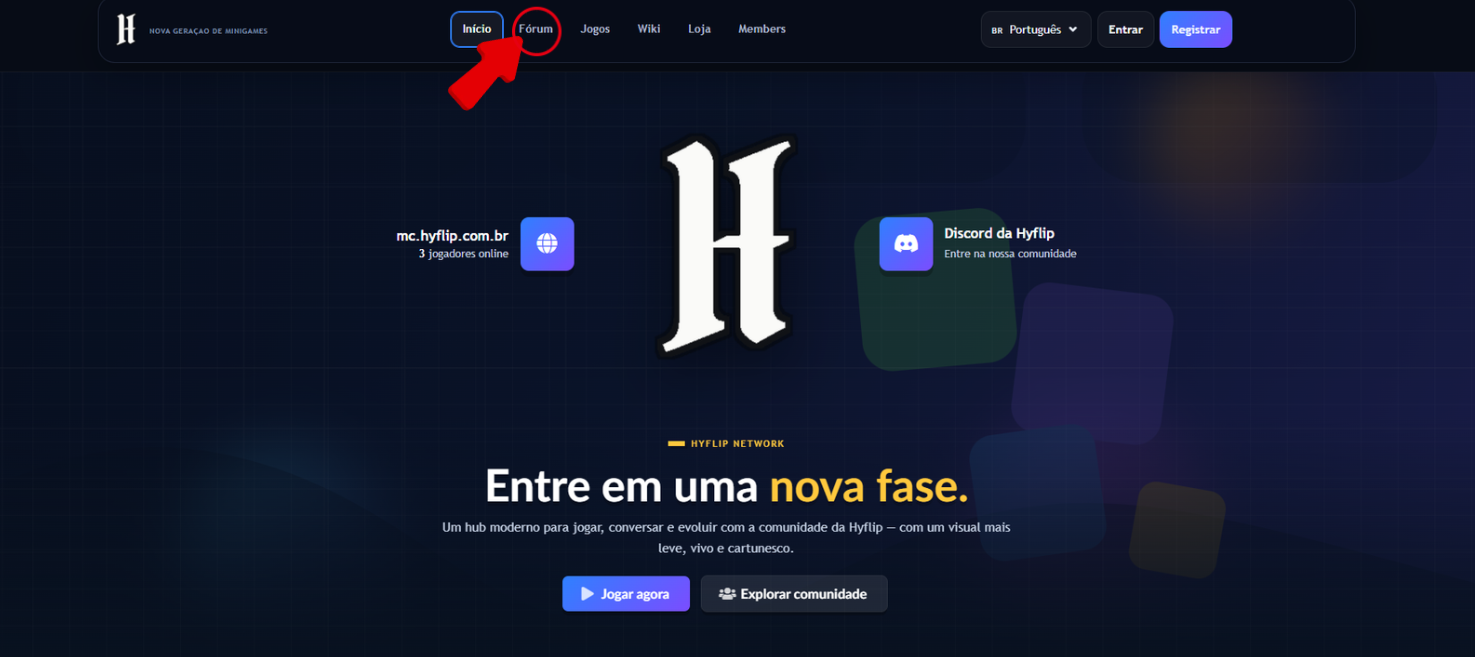
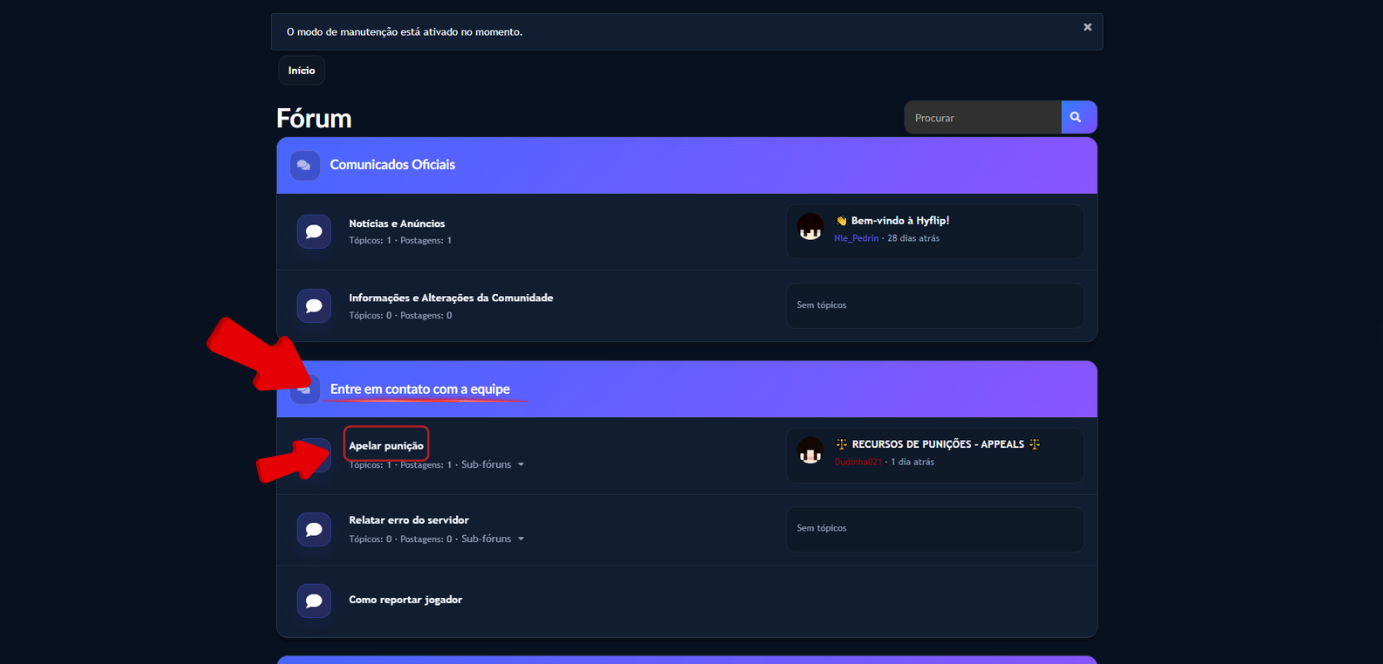
Access the Hyflip Forum and locate the “Contact the team” section.
Within this section, select the “Appeal punishment” option.
2. Access the Appeals topic
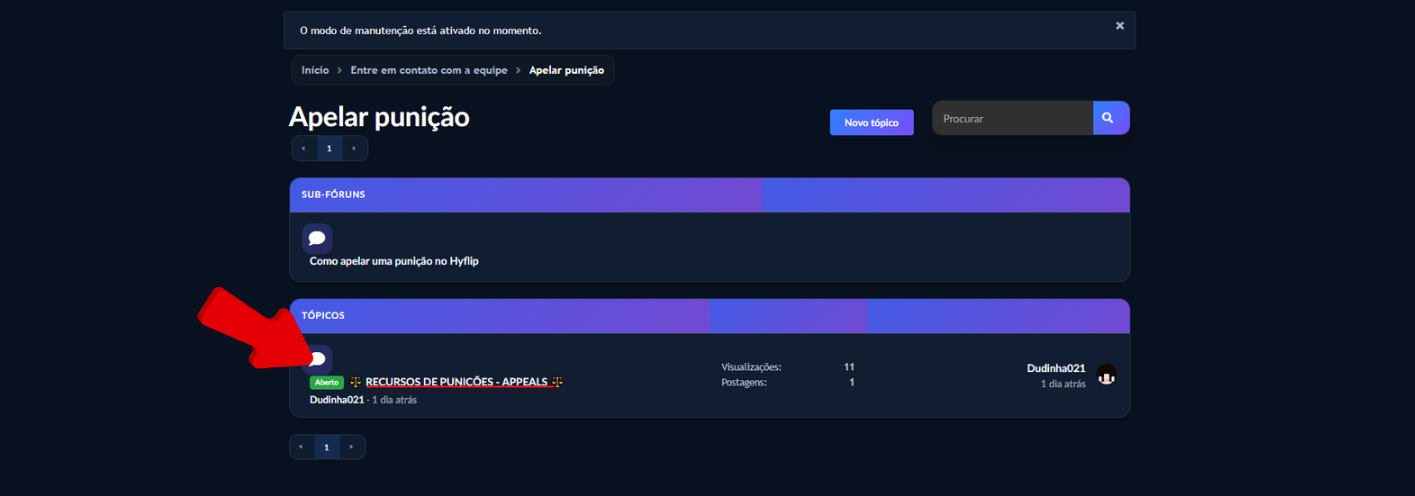
Locate the “Punishment Appeals — Appeals” topic and read all the information provided carefully before creating your appeal.
The guidelines, rules, and information presented in the topic must be followed.
3. Provide the punishment details
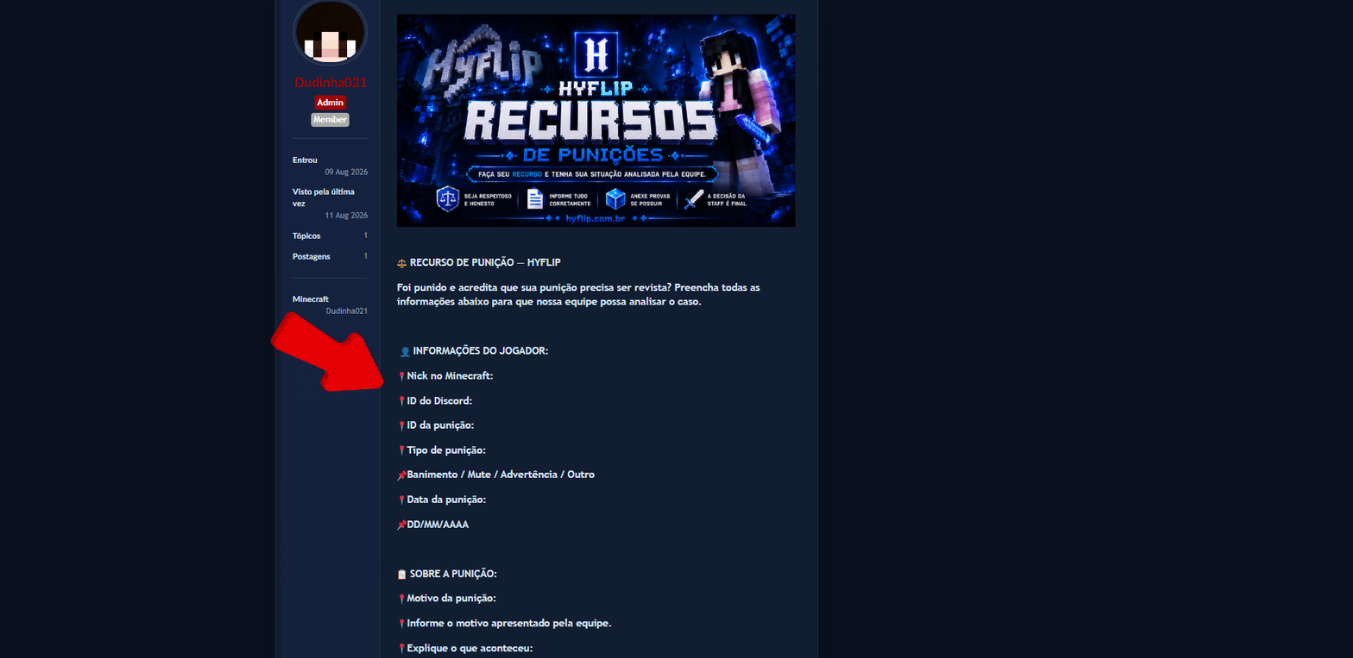
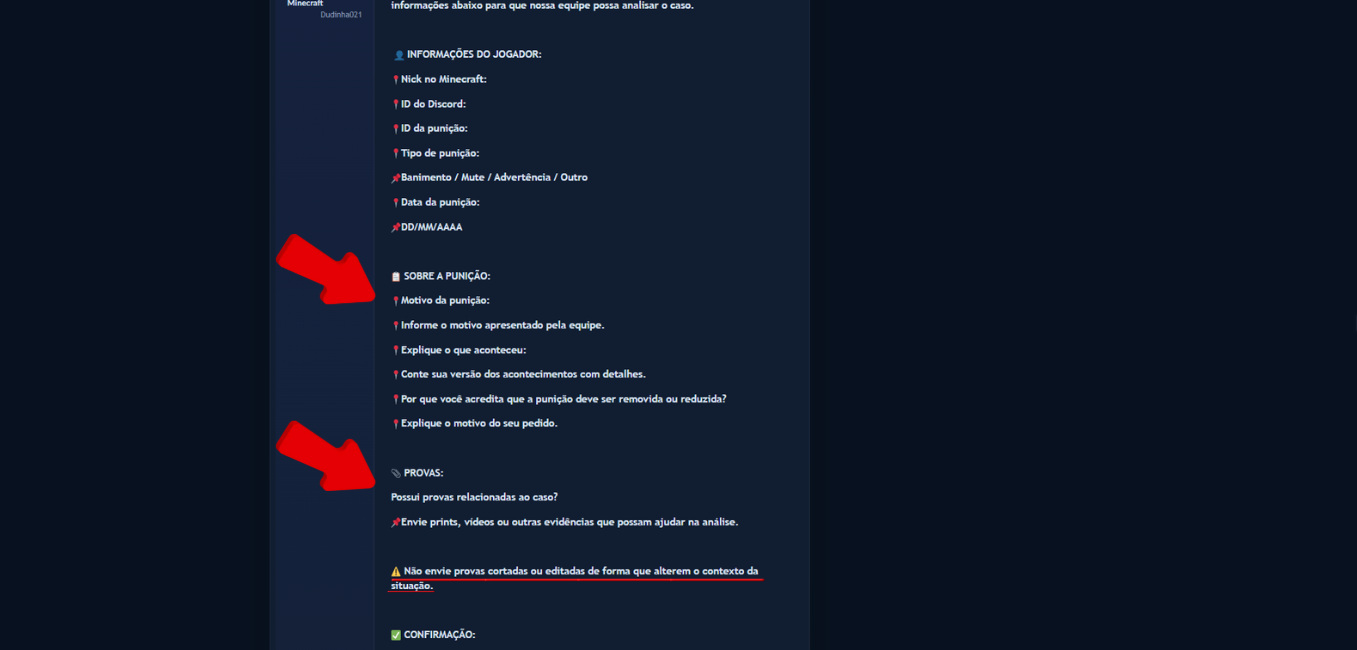
In your appeal, correctly fill in the requested information about the player and the punishment:
- Minecraft Username
- Discord
- Punishment Date
- Punishment Type
Make sure that all the information is correct
4. Explain your situation
Clearly describe what happened and explain your situation.
Include:
- What was the reason for the punishment;
- What happened;
- Why you believe the punishment should be removed or reduced.
Be objective and provide as much relevant context as possible.
5. Attach your evidence
Add screenshots, videos, or other evidence that may help the team analyze your appeal.
⚠️ Important: Do not submit evidence that has been cropped or edited in a way that changes the context of the situation.
The more complete and relevant the information provided, the better the case can be analyzed.
6. Confirm the information
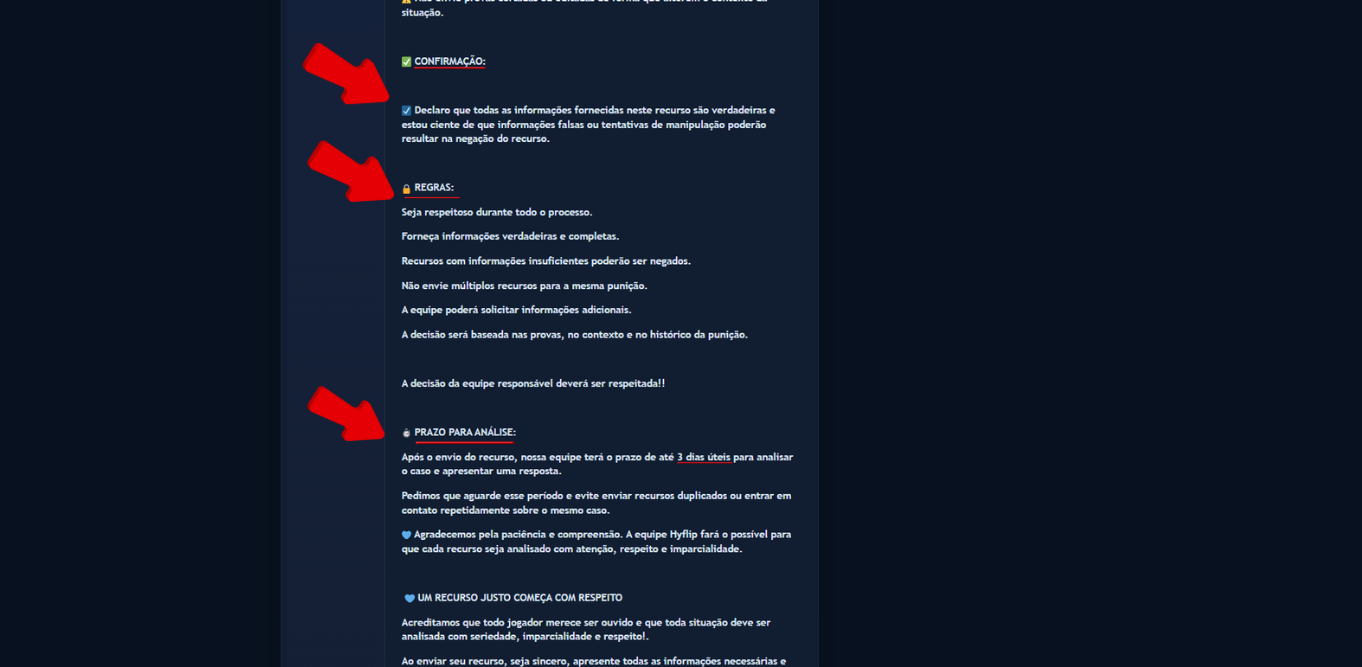
When submitting your appeal, you must declare that all information provided is true.
By submitting it, you will also acknowledge that providing false information may interfere with or manipulate the outcome of the analysis.
7. Follow the rules
Before submitting your appeal, make sure to follow all the rules:
- Be respectful throughout the entire process;
- Provide only true information;
- Appeals with insufficient information may be denied;
- Do not submit multiple appeals for the same punishment;
- The team may request additional information if necessary;
- The decision will be based on the evidence provided, the context of the situation, and the punishment history
⏱️ Review period
The review period for an appeal is up to 3 business days.
During this period, wait for the team's response and avoid submitting duplicate appeals or messages requesting priority.
8. Submit your appeal
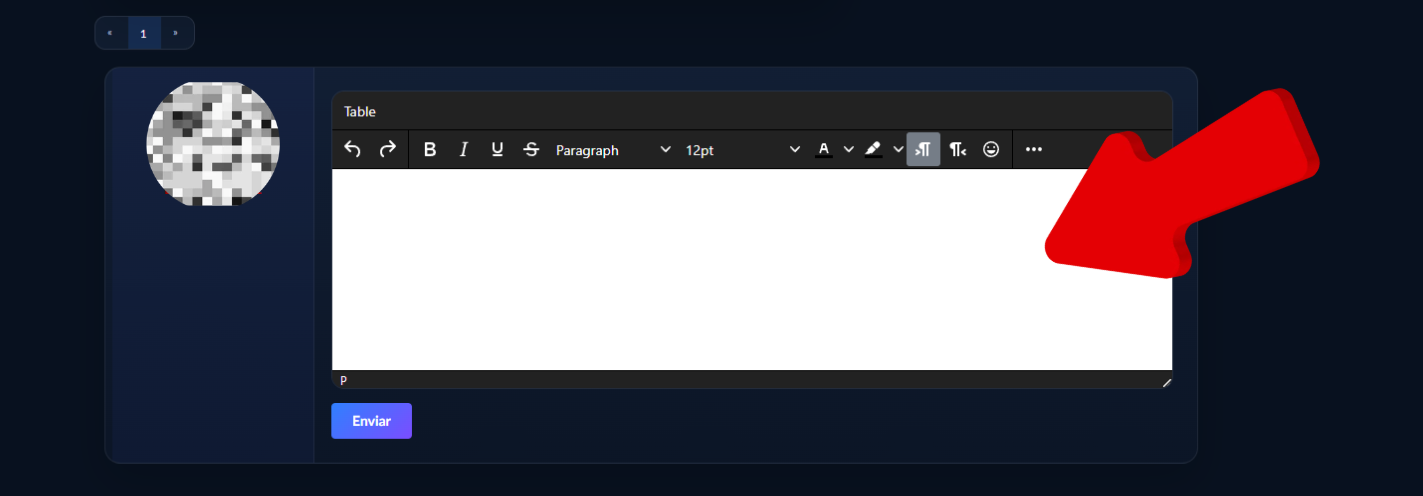
After carefully reading all the information in the topic, use the area available below the post to create your appeal.
You must follow the provided template, filling in all the requested fields and adding the necessary information and evidence.
After reviewing your appeal, submit it so that the team can analyze it.
💙 Good luck with your appeal! Remember to provide truthful information, present all relevant evidence, and correctly follow the guidelines above.
Sincerely,
💙 Hyflip Team 💙