

📝 How to create an account on the website
To access the features available on the Hyflip website, you first need to create an account.
1. Access the website
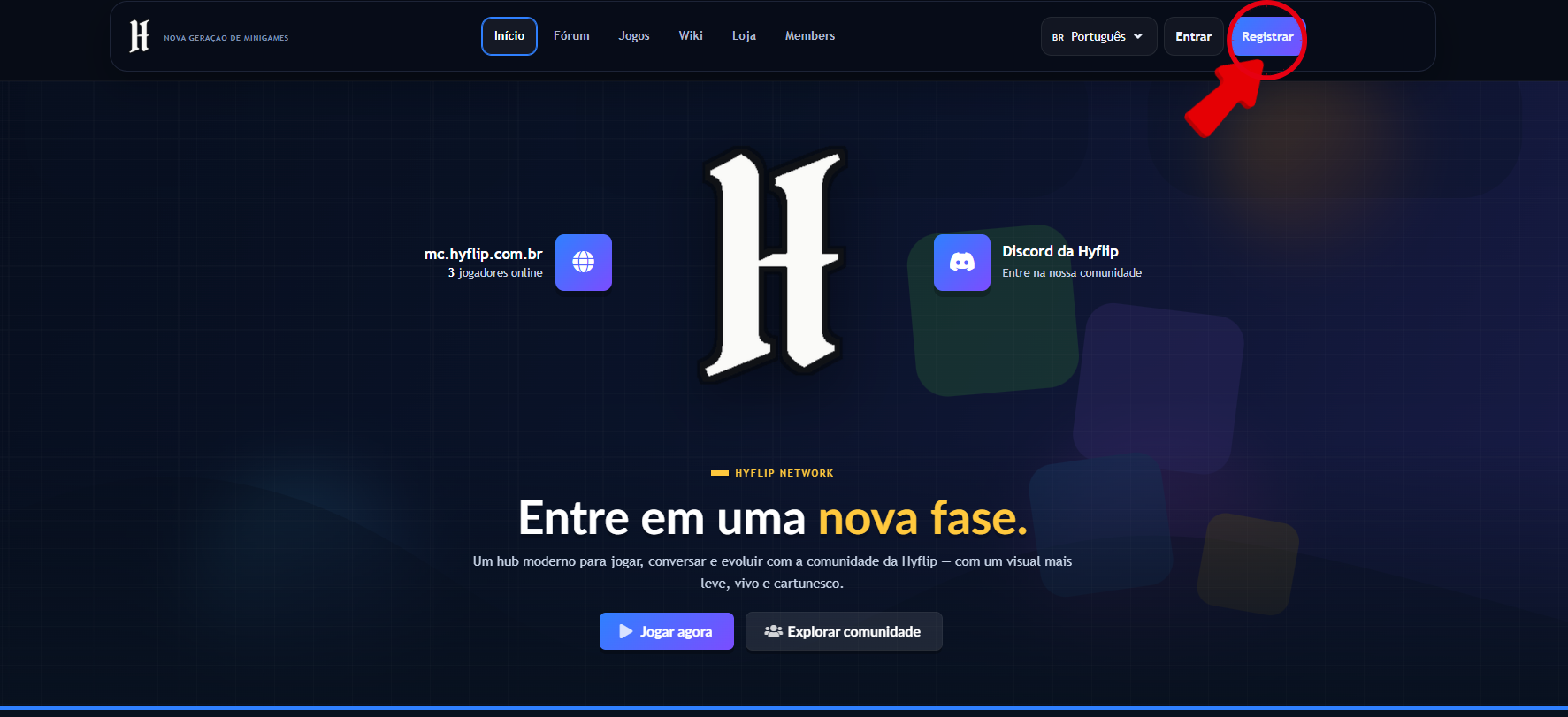
Access the official Hyflip website and, on the homepage, click the “Register” option to start the registration:
 2. Fill in your details
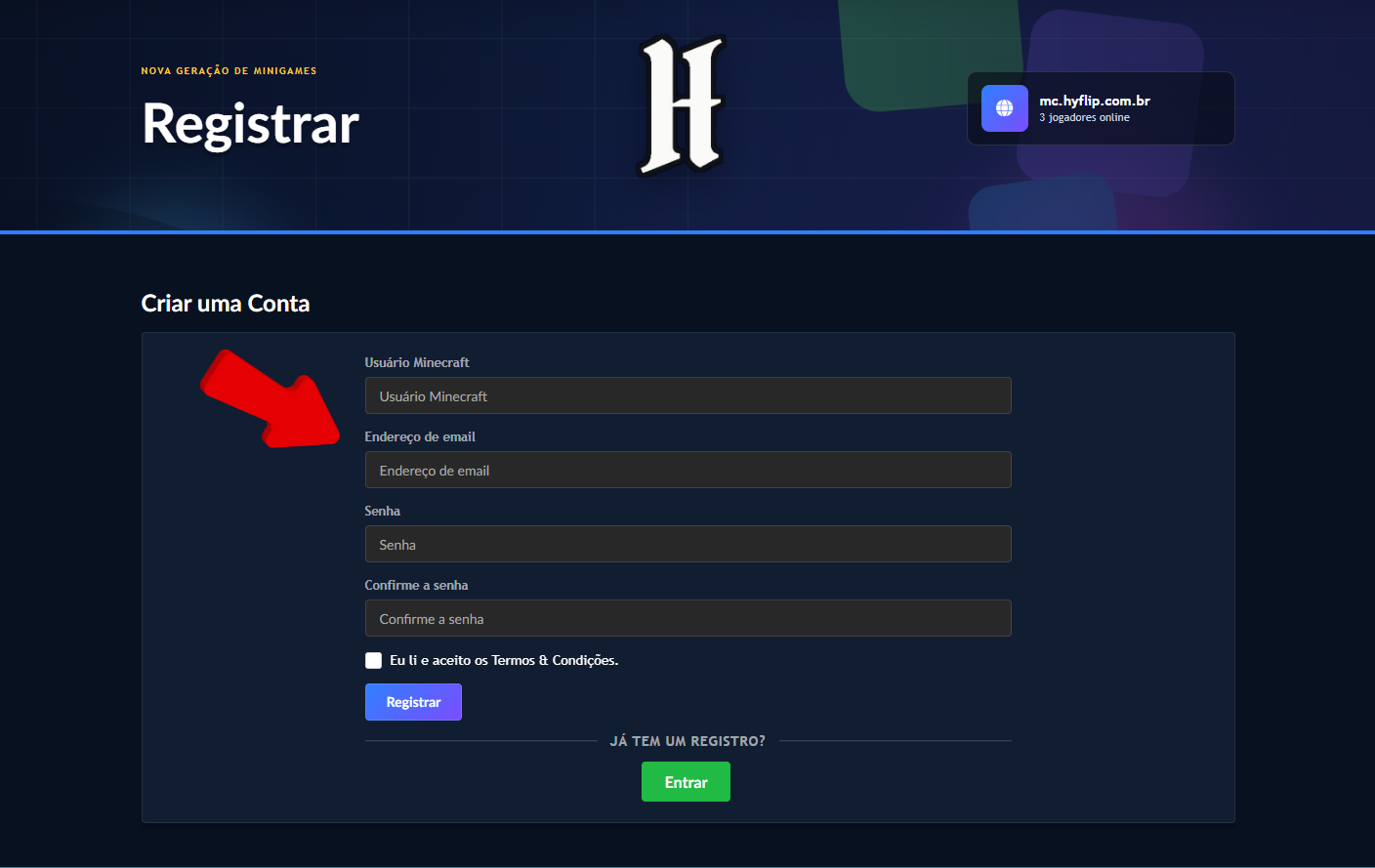
Correctly fill in all the information requested in the registration form.
Make sure to use a valid email, as it will be used to confirm your account.
3. Verify your email
After completing the registration, you will receive an email from Hyflip to verify your account.
Open the received email and click the verification link indicated in the message.
💡 Attention: If the email does not appear in your inbox, also check the Spam or Junk Email folders.

4. Link your account to Minecraft
With your account created and verified, it is time to link it to Minecraft.
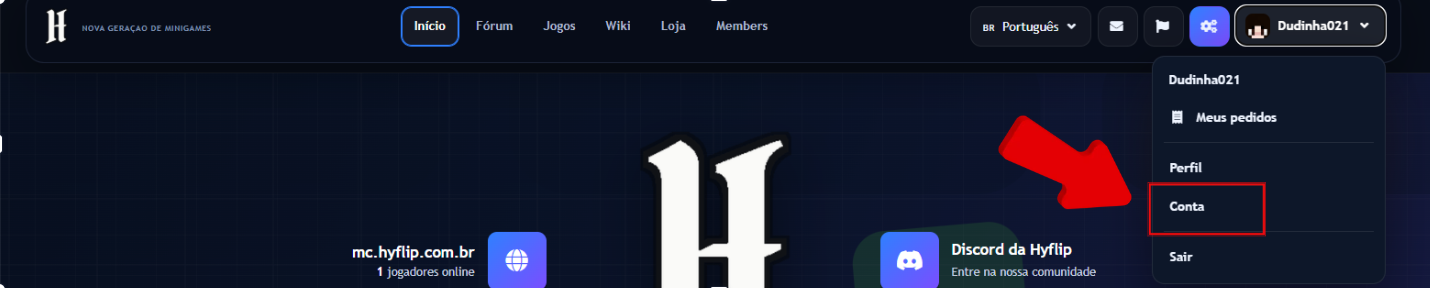
In the website's navigation bar, click “Account”:
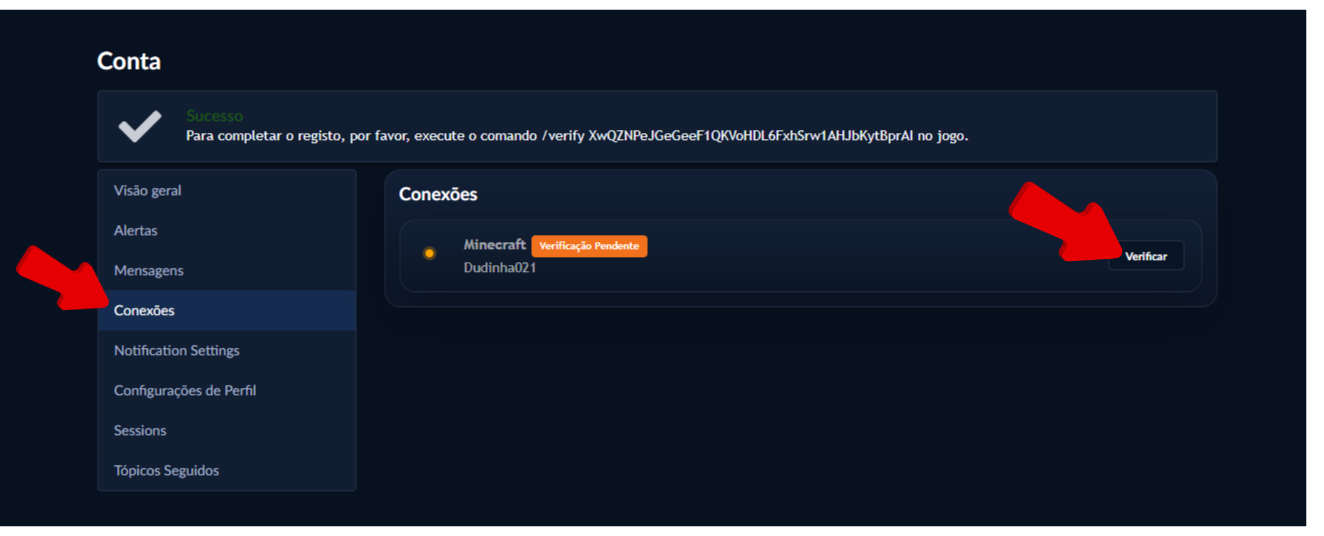
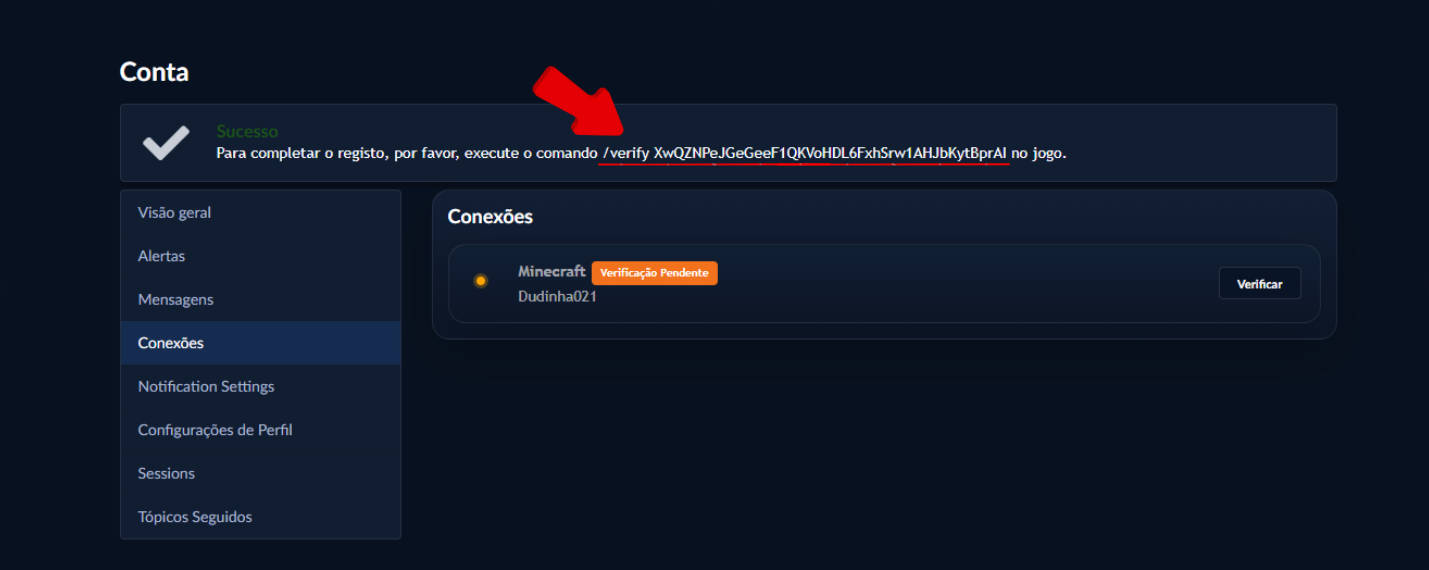
 And, then access “Connections”. Locate the Minecraft connection, which will be marked as “Verification Pending”, and click “Verify”:
5. Copy the verification code
When you click “Verify”, a code will be generated.
Copy the code, as it must be used inside the Minecraft server.
6. Enter the code on the server
Open Minecraft and join the Hyflip server with the account you want to link.
Open the server chat, paste the verification code, and press Enter.

7. Linking completed
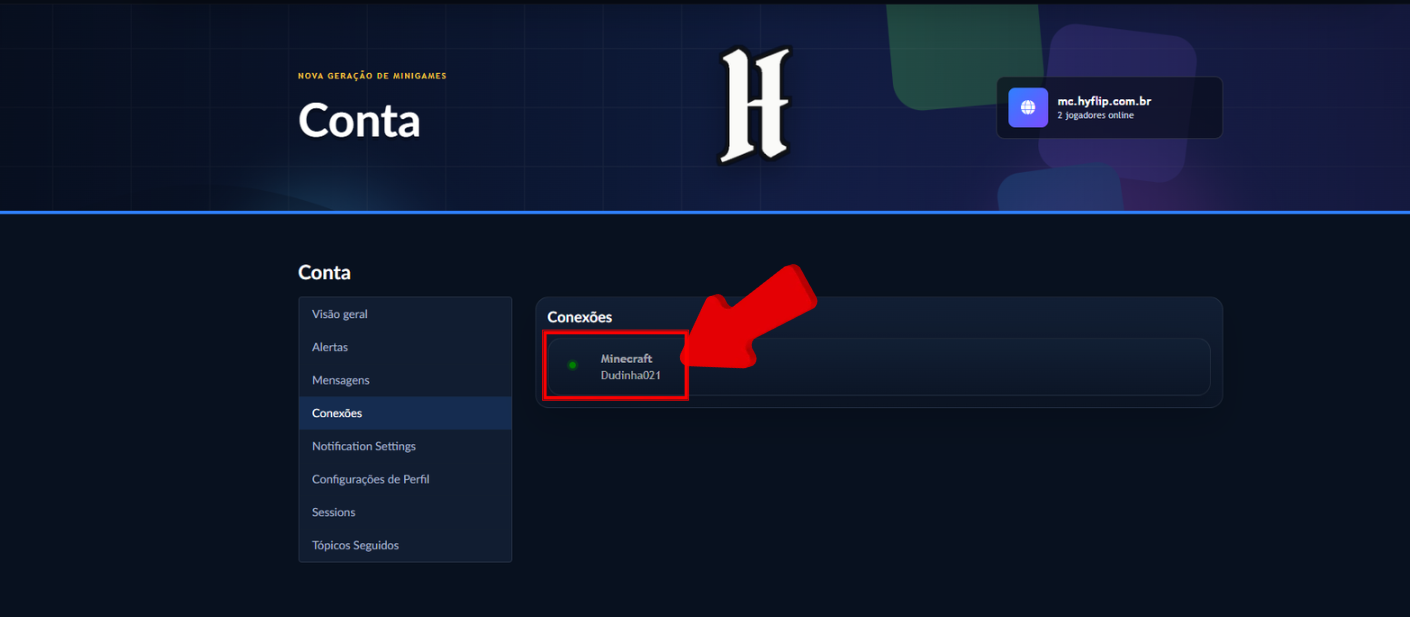
After entering the code correctly, you will receive a message confirming that your account has been successfully linked.
You will also be informed that the groups will be synchronized with Discord and the forum.

 💙 We hope this tutorial was helpful!
If you have any questions, check out the other tutorials available in our Wiki and follow all the instructions to ensure the best experience on Hyflip.
💙 Thank you for being part of our community!
Sincerely,
💙 Hyflip Team 💙